P2P routing
Sending an eIOU to someone you're not directly contacts with — or to someone you are, but with whom you don't have enough credit. The protocol finds a route through a mutual contact and the eIOU hops along it. Walked through with three nodes: Alice (port 80), Bob (port 8080), and a fresh Carol (port 8081).
What this demo is actually showing
P2P routing happens under the hood — in normal use you just send to an address and the wallet picks a route, hops the eIOU, and settles fees without surfacing any of it. This walkthrough exists so you can see the protocol's mechanics step by step, in particular how relay fees flow when a payment passes through someone else.
Spin up a third node
By now you have Alice running on port 80 and Bob on port 8080 from the earlier setup. Add a third node, Carol, on port 8081 — same image, different name, different host port.
Open http://localhost:8081 in a separate browser window. First-run sign-in is the same as Alice and Bob — capture Carol's seed phrase and auth code from the /dev/shm/ file the container drops on first boot, or run docker exec -it Carol eiou info --show-auth to re-print the auth code at any time, then sign in. See Set up Docker environment for the full first-run walkthrough if you need a refresher.
If Alice or Bob aren't running
If their containers merely stopped, preserve their identities and contact history with docker start Alice Bob. If you deleted a container, recreate it with the same seven Alice- or Bob-prefixed volume mounts from the setup walkthrough. Never attach one node's volumes to another node.
Carol's Dashboard after sign-in
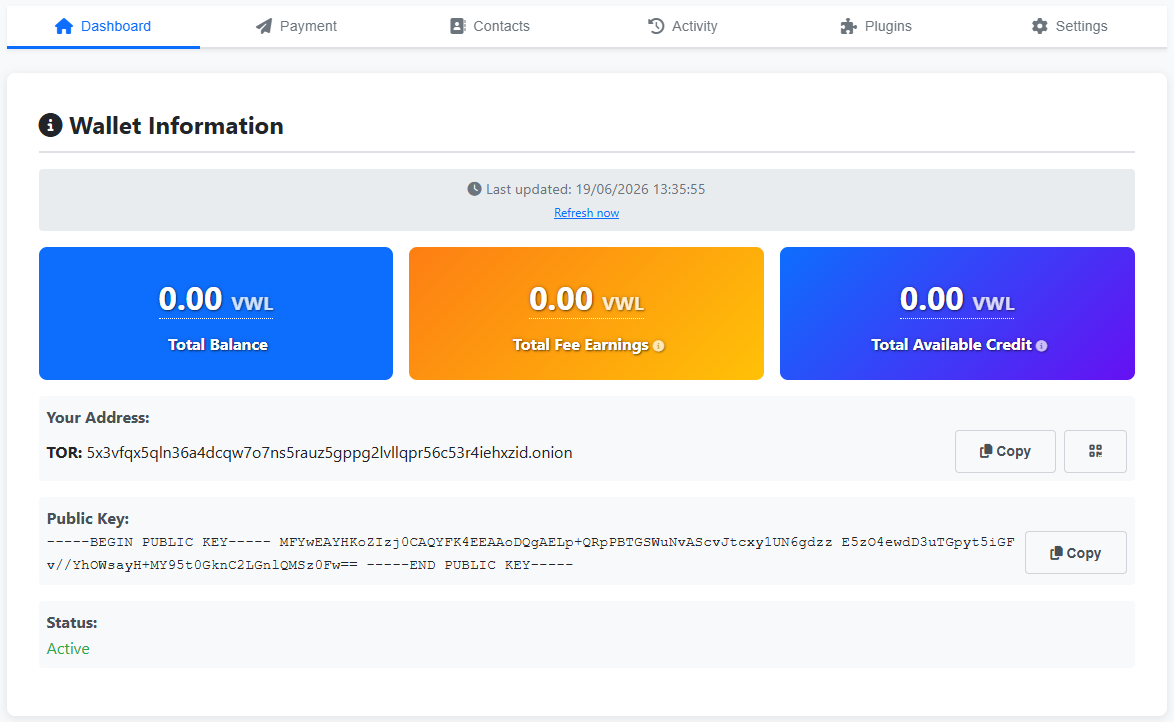
Connect Bob & Carol
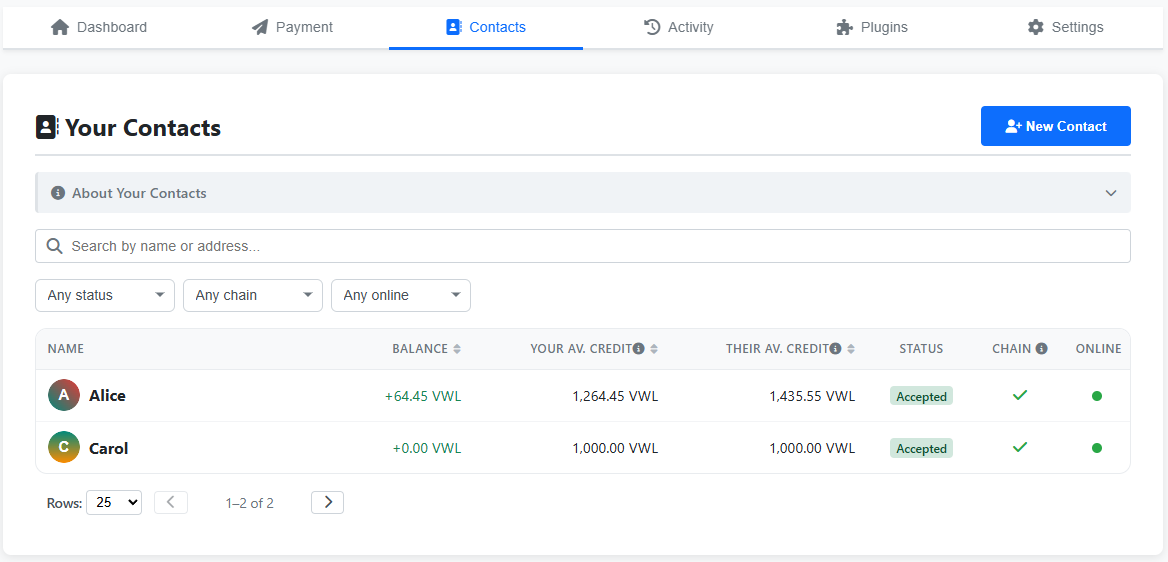
Repeat the contact flow you already did for Alice ↔ Bob, but between Bob and Carol. From Carol's Dashboard, copy her onion address. Switch to Bob's wallet, open the Contacts tab, click New Contact, paste Carol's address, fill in Display Name + credit limit + fee + currency, submit. On Carol's wallet, accept the pending request from the Pending Contact Requests banner.
- Currency matters — pick a currency Bob ↔ Carol both have credit lines in. The next step needs Alice ↔ Bob and Bob ↔ Carol to share the same currency for the route to resolve.
- Credit limit on Bob's side toward Carol determines how much Bob is willing to relay through this link before the route runs dry.
- Carol can accept on different fee / credit terms than Bob proposed via the per-currency Apply modal — same as the original Alice / Bob walkthrough.
Don't add Carol on Alice's wallet. That's the whole point of this section — Alice has Bob, Bob has Carol, but Alice and Carol have no direct contact relationship. The next step is what happens when Alice tries to send Carol money anyway.
Bob's Contacts list with Alice and Carol both accepted
Multi-hop send
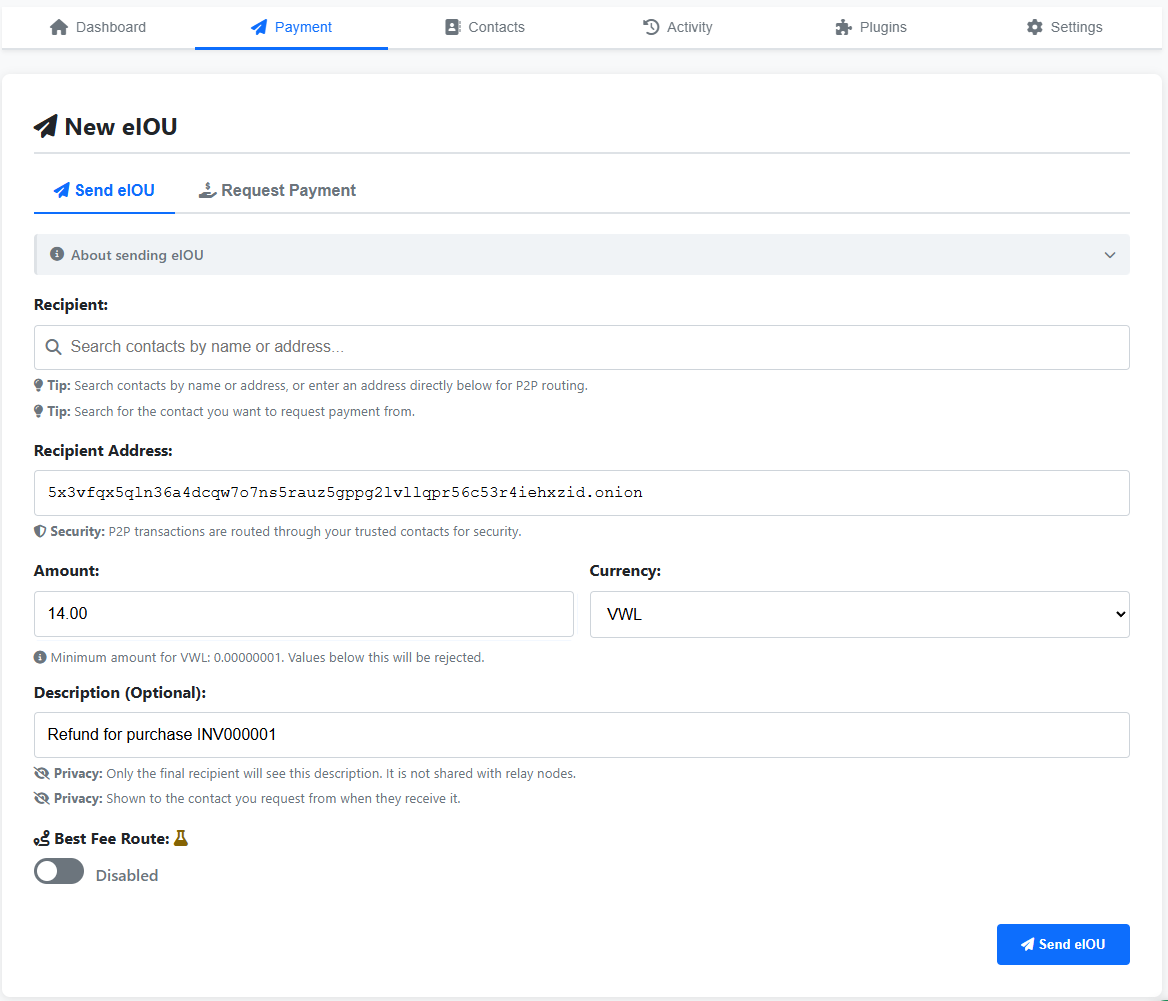
On Alice's wallet, switch to the Payment tab and use the New eIOU form. Paste Carol's onion address into Recipient Address — Carol isn't in Alice's contacts, so the autocomplete won't suggest her. Because there's no direct contact link, the wallet automatically goes into P2P routing: it searches Alice's contacts for a path to Carol and finds Alice → Bob → Carol. Bob earns his per-contact relay fee for forwarding the eIOU.
- Recipient Address — paste Carol's .onion. The form goes into ad-hoc P2P mode since Carol isn't a saved contact.
- Address Type — Tor (default for the demo).
- Amount — anything that fits in Alice's available credit on the resolved route (her remaining credit with Bob, with Bob's relay fee on top). The form rejects sends that exceed the route's capacity.
- Currency — the protocol resolves the route automatically, looking for any path from Alice to Carol that supports the chosen currency end-to-end. In this three-node demo the only available path is Alice ↔ Bob ↔ Carol, so the currency happens to need to be one that exists on both of Bob's credit lines; on a real network with more contacts, any other path that carries the currency would do.
- Description — short memo, end-to-end between Alice and Carol only. Relays don't see it.
The send form on Alice's Payment tab
Route confirmation (optional) — click to expand
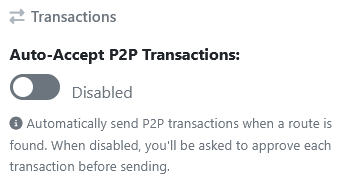
In short: if Auto-Accept P2P Transactions is disabled, every P2P send needs confirmation — once a route is found and a fee is calculated (or several routes, if Best Fee Route is enabled, for Alice to pick from), the wallet asks before committing. The screenshots below walk through what that looks like.
1. The toggle lives under Settings → Section: Feature Toggles → Transactions. Flipped to Disabled here so the rest of the flow becomes visible.
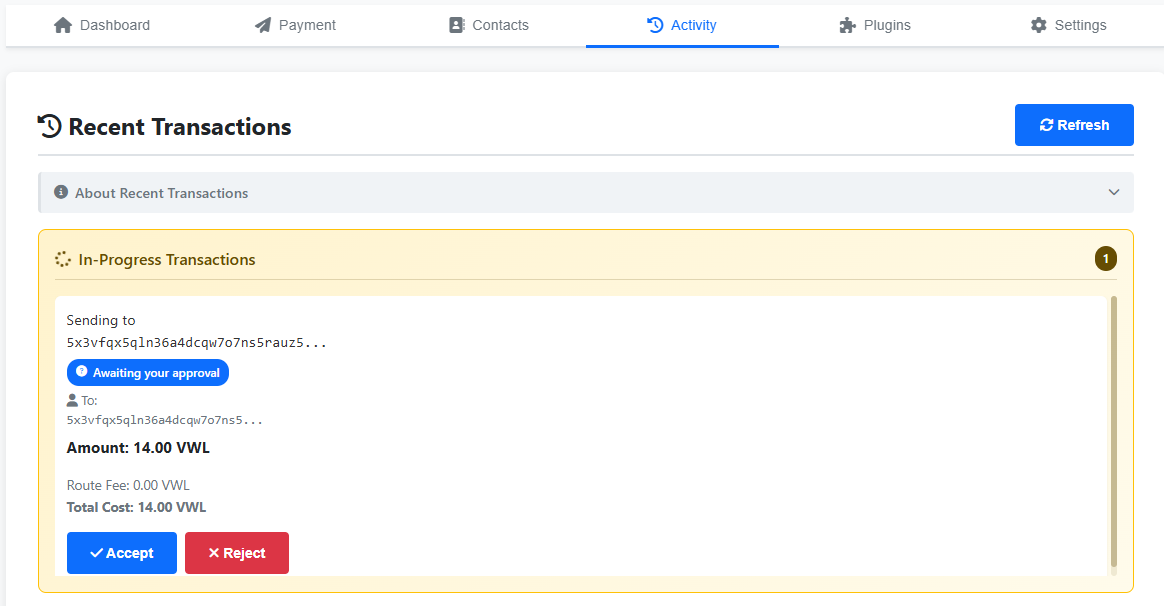
2. When Alice submits the send, an In-Progress Transactions panel appears at the top of her Activity tab with the recipient, amount, route fee and total cost, plus Accept / Reject buttons. The Route Fee is always a single total — the sender never sees a per-relayer breakdown, and the protocol divides that total across the hops internally. Here the route is one hop long, so the total happens to coincide with what Bob earns; on a longer route it would still be one number, just spread across more relayers behind the scenes.
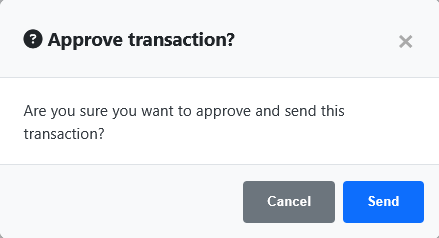
3. Clicking Accept brings up a final small "Approve transaction?" modal as a last go-ahead before the eIOU is committed.
Three perspectives on the same transaction
The eIOU shows up in all three Activity tabs — one transaction, three views. Each wallet fires a toast notification when the hop lands, but the Activity list itself isn't force-refreshed, so you may need to reload the page (or switch tabs and back) to see the new row.
Alice's Activity
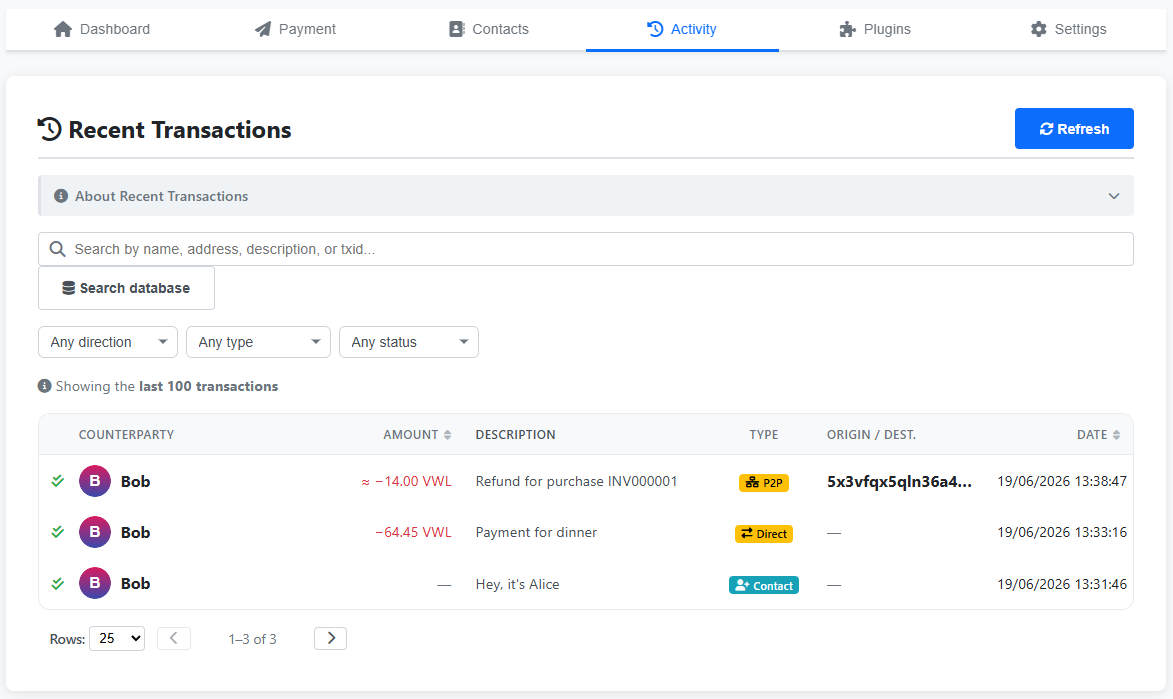
An outgoing P2P send debited ≈14.00 VWL: the 14.00 going to the end recipient plus a tiny routing fee for the hop (0.0014 VWL, which rounds to 0.00 in the display). The row's counterparty is Bob (Alice's direct neighbour on the route), but the Origin / Dest. column is filled with Carol's onion: as the sender, Alice knows exactly where the eIOU is going, and the column reflects the actual final recipient, not the next hop.
Bob's Activity
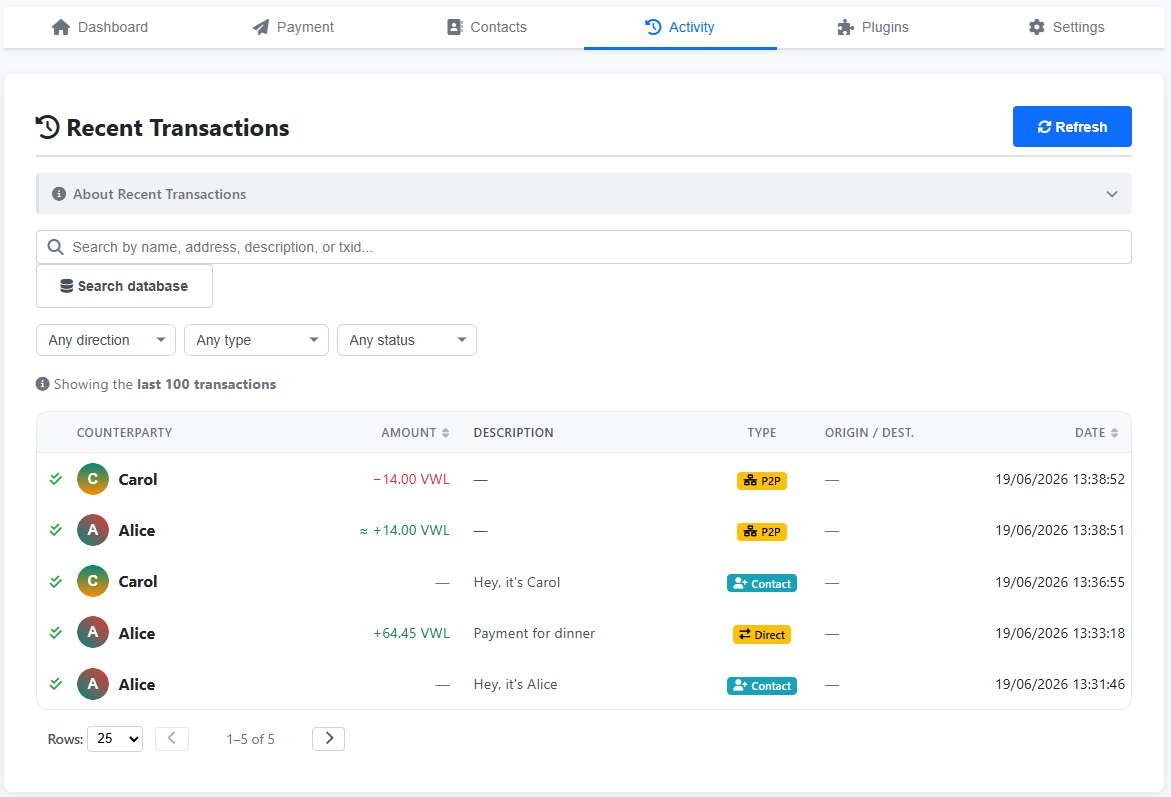
Two rows that net out to his relay fee of ≈0.00 VWL (0.0014 at full precision): a P2P credit of ≈+14.00 from his upstream neighbour (Alice) and a P2P debit of −14.00 to his downstream neighbour (Carol). On a longer route those would be other relays rather than the endpoints. Both relay rows leave the Origin / Dest. column blank — the protocol doesn't tell Bob where the eIOU originally came from or where it's ultimately going.
Carol's Activity
An incoming P2P receive of +14.00 VWL, no fee charged to her. The row's counterparty is Bob (Carol's direct neighbour), but the Origin / Dest. column is filled with Alice's onion. That's the design, not a side effect of route length: when an eIOU lands, the wallet confirms the origin directly with the original sender on a back-channel that bypasses every relay along the way. Carol — and only Carol — learns that this came from Alice; Bob is never told.
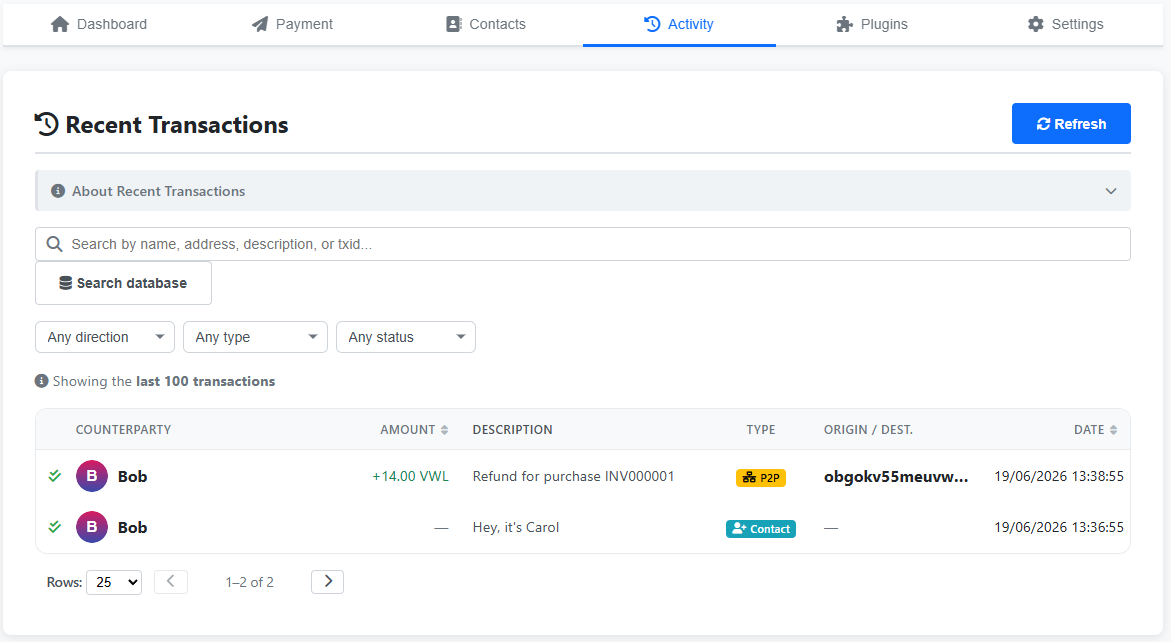
Bob's Dashboard picks up the relay fee
Click back to Bob's Dashboard. Total Fee Earnings is now ≈0.00 VWL (0.0014 at full precision), Bob's per-contact fee for being the middle hop. Total Balance and Total Available Credit also update, since the two halves of the relay shifted his credit lines with Alice and Carol.

Transaction details — what each side actually sees
Click any of the rows above to open the Transaction Details modal. The same eIOU is rendered very differently for sender, recipient, and relay — and one detail in particular only Alice and Carol can read.
Alice (sender)
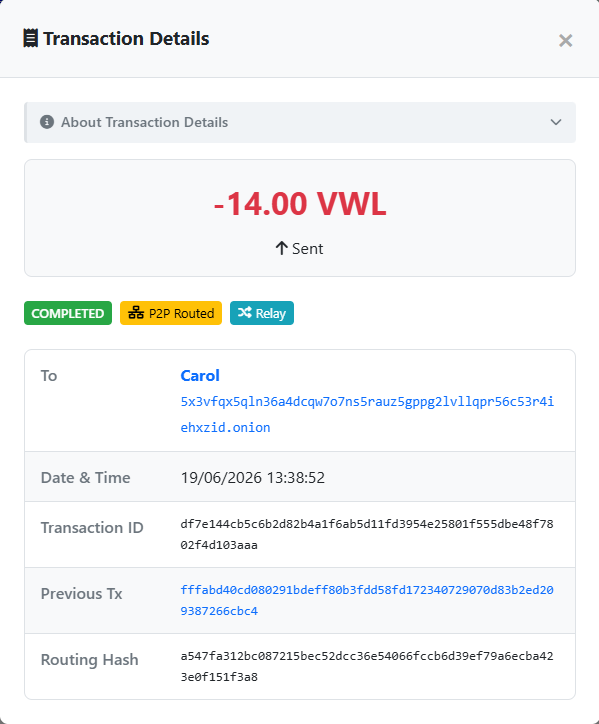
Sees her own description, the immediate counterparty Bob, a P2P Routed badge, and a P2P Transaction Details panel with the End Recipient (Carol's onion), Amount to Recipient 14.00 VWL, and a Routing Fee of ≈0.00 VWL (0.0014 at full precision).
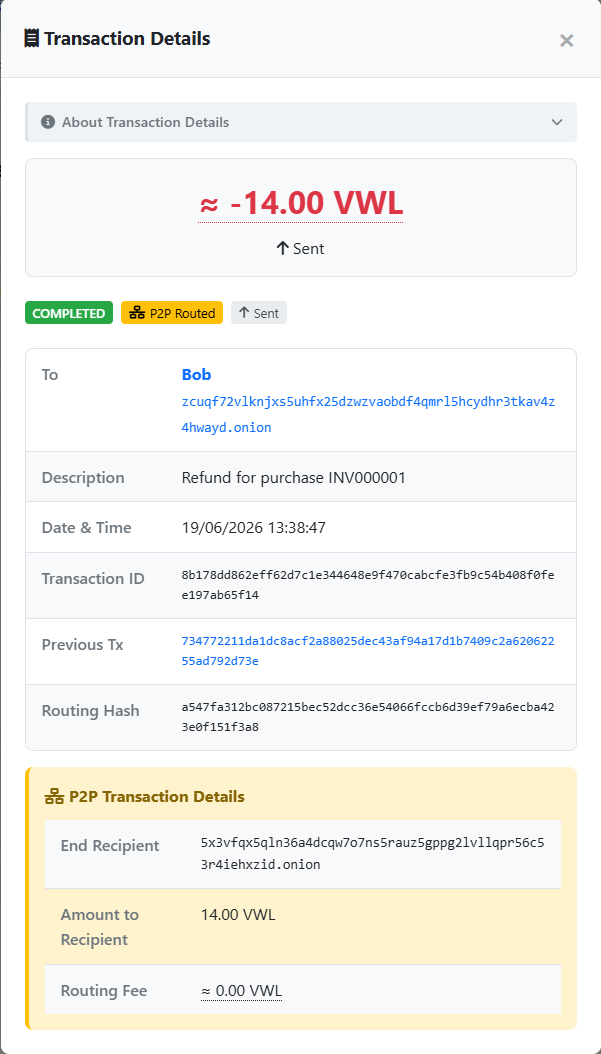
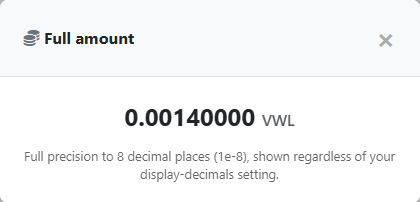
The Routing Fee reads ≈ 0.00 VWL because Bob's relay fee is only 0.01% of the amount. Click the ≈ on any rounded value to reveal the full precision — here, 0.0014 VWL.
Bob (relay)
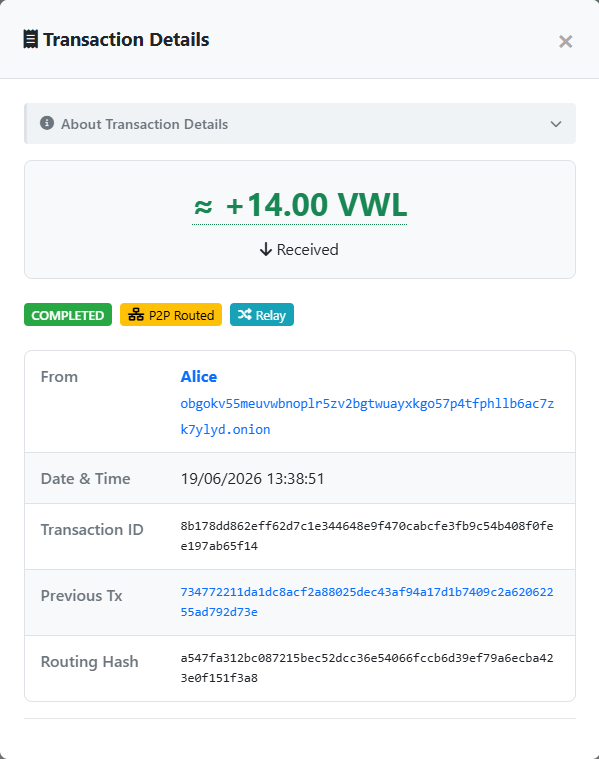
Gets two separate Transaction Details views, one per leg: an incoming ≈+14.00 from his upstream neighbour and an outgoing −14.00 to his downstream neighbour, both badged P2P Routed and Relay. Each panel only names the direct counterparty on that leg — no End Recipient, no origin field, just whoever Bob is talking to next. Neither view shows a description either — the memo is end-to-end between sender and final recipient. In this single-hop demo Bob's upstream and downstream neighbours happen to be Alice and Carol, so the addresses he sees coincide with the actual endpoints — but the panels still just label them as "from" and "to" on his leg, never as origin or final recipient. That coincidence comes from the route being one hop long, not from the protocol surfacing the endpoints.
Carol (recipient)
Sees the same description Alice typed, the immediate counterparty Bob, P2P Routed, and a P2P Transaction Details panel with End Recipient herself, Amount to Recipient 14.00 VWL, Routing Fee 0.00 VWL — the recipient pays nothing for routing.
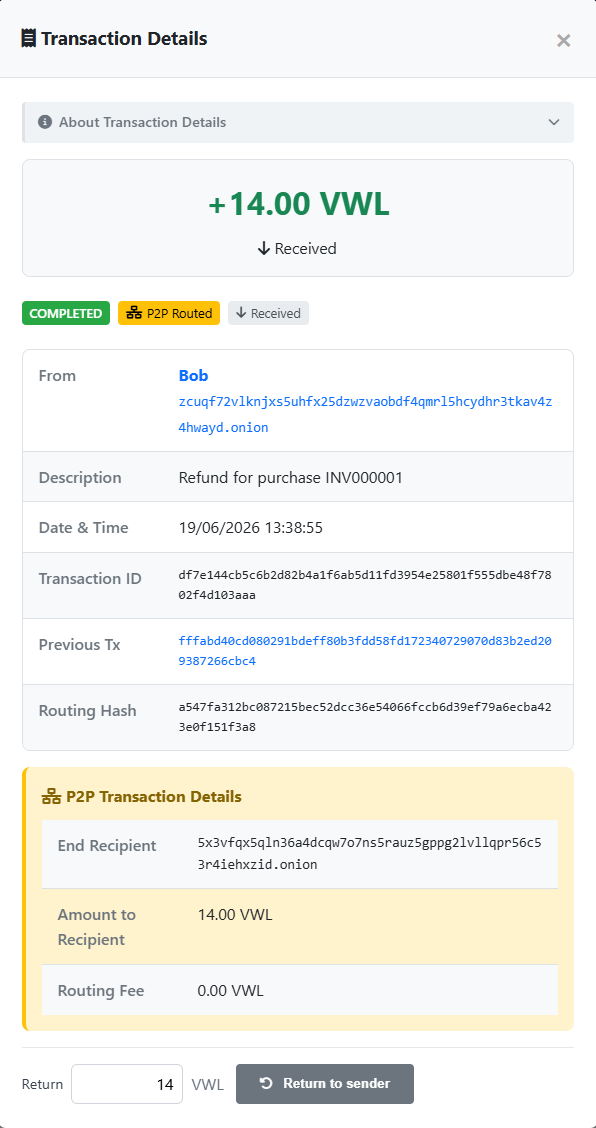
Each relay only ever sees its two immediate neighbours — the address it received from and the address it's forwarding to — plus the amount, the transaction id and the routing hash. The protocol never tells a relay who the original sender or final recipient is; in a single-hop route like this one those addresses happen to coincide with the relay's neighbours, but they're still just labelled as the previous hop and the next hop. The description never reaches a relay either: the memo is end-to-end between sender and final recipient, which is why Bob's two Transaction Details panels have no description field to show. Trust on each pairwise contact link is what makes that per-hop visibility acceptable.
The same multi-hop routing kicks in even when there is a direct contact link. If Alice and Carol were direct contacts but Alice didn't have enough credit with Carol to cover the send, her wallet would still hop through Bob. None of this is a button the user presses — it's the wallet's response to 'pay Carol' when there's no direct path or no credit on the direct path.