Payback methods
Tell a contact how to settle a real-world debt with you. Alice configures one or more payback methods (bank wire, PayPal, BTC address, free-text, etc.); Bob looks them up live from Alice's node when he wants to pay her off-chain. Methods are encrypted at rest per row, and Alice controls who sees what via per-method share policy.
Add a payback method (Alice)
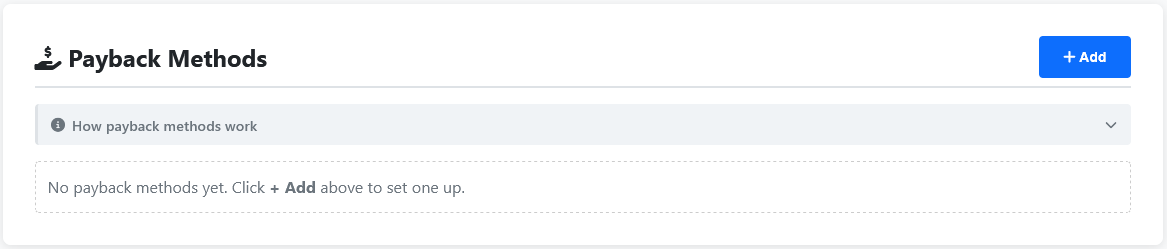
Stay on Alice's wallet. The Dashboard tab has a Payback Methods section underneath the Wallet Information card — empty by default. Click + Add in the top-right of that section to open the two-step add modal.
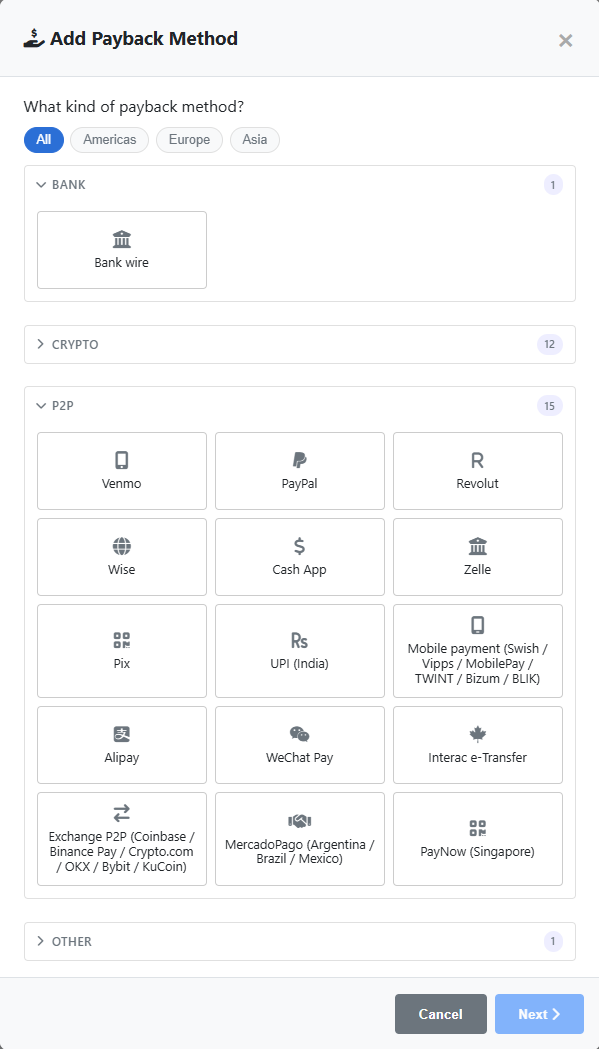
- Type — pick from bank_wire (with sub-rails like SEPA / Faster Payments / ACH), custom (free-text up to 1024 chars), or any plugin-supplied rail like BTC / PayPal / Bizum / PIX / UPI / Lightning.
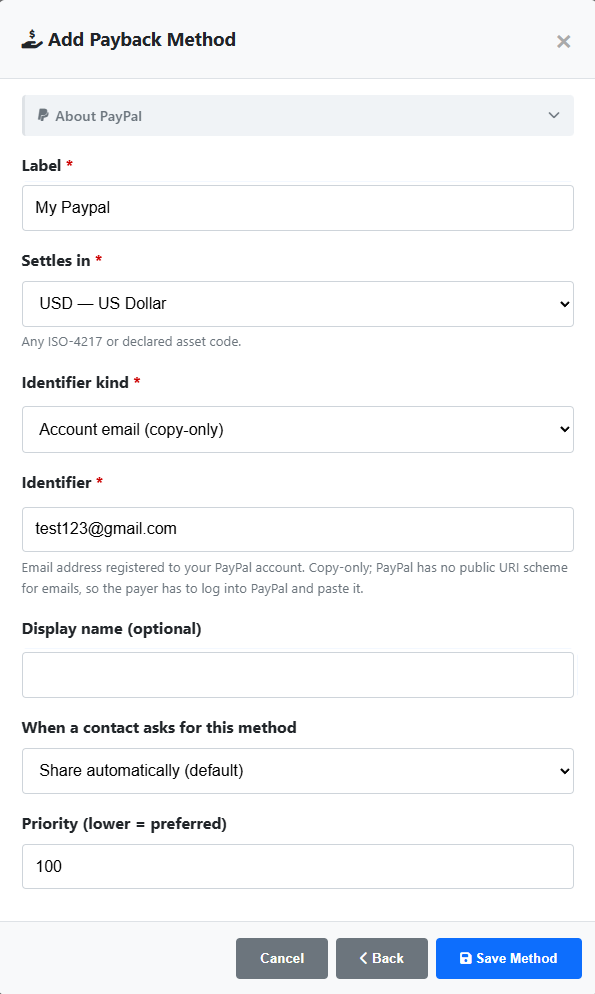
- Currency — the currency this method settles in. One method = one currency.
- Label — a short name only you see (e.g. "My Revolut"). Helps when you have several methods of the same type.
- Type-specific fields — IBAN / account name for bank_wire, free-text body for custom, type-defined fields for plugin rails. Sensitive inputs are read with terminal echo disabled by the API.
- Share policy — auto (any accepted contact can fetch it), prompt (you get a notification when a contact requests it), or never (kept private to this node). Default is auto.
- Priority — integer 0–9999, lower is preferred. Tiebreaker when multiple methods match the same currency.
The Payback Methods section on Alice's Dashboard
Step 1 — pick the rail
Step 2 — fill the type-specific fields
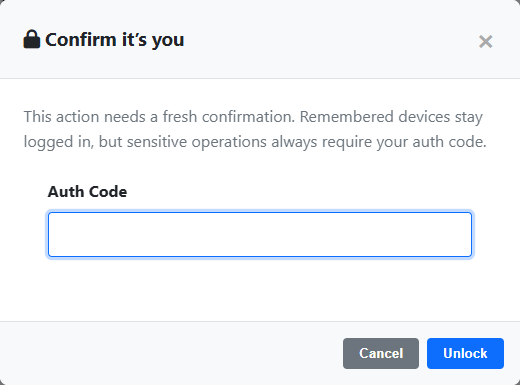
Saving prompts a fresh auth confirmation
The saved method in the list
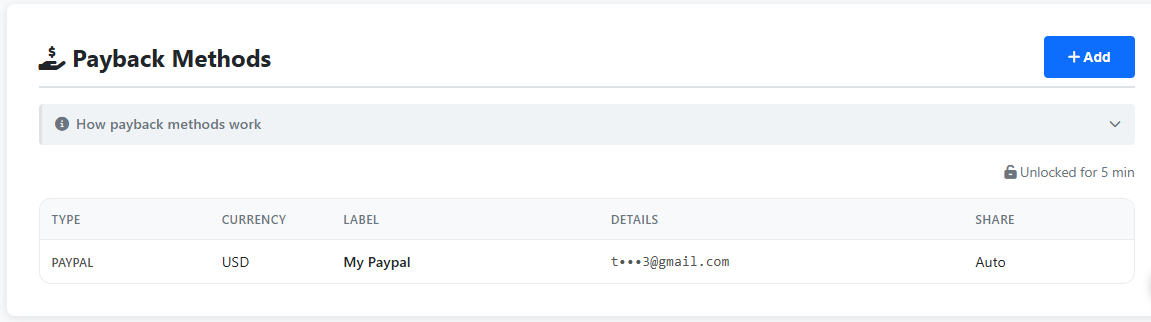
The new method appears in the Payback Methods list. Sensitive fields display as •••• in the list view — typed rails (IBAN, etc.) keep their last-4 visible as a recognition hint, while custom bodies are masked in full since they're user-authored free text. The full value is only revealed after you unlock with your auth code.
Every method is encrypted at rest per row (AES-256-GCM keyed to the wallet) before it hits the database, regardless of the type. The masking you see in the list is the GUI's reveal behavior, not the storage.
View Alice's methods (Bob)
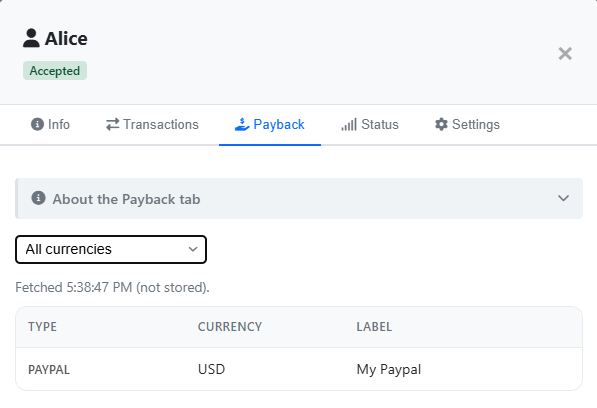
Switch to Bob's wallet. Open the Contacts tab, click Alice's row in Your Contacts to open her contact detail modal, and switch to the Payback tab inside the modal. The list is fetched live from Alice's node every time you open the tab — nothing is cached on Bob's side, so what you see is exactly what Alice is currently sharing.
- Currency selector — filter to one currency when Alice shares methods in more than one. Changing the filter refetches automatically.
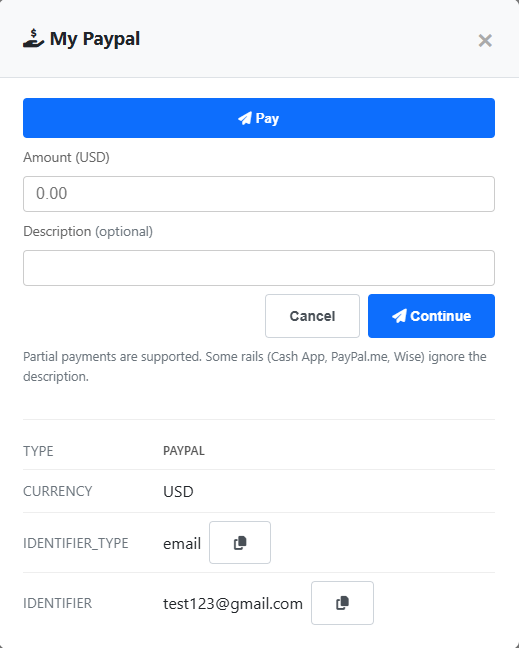
- Tap a row — opens the full method with copy-to-clipboard buttons for each field, so Bob can paste an IBAN into his bank's wire form without retyping it.
- Empty state — "contact is not sharing anything" means either Alice hasn't added a method yet, or every method she has is set to share policy never.
The Payback tab on Alice's contact card, on Bob's wallet
Tapping a row reveals the full details
The Payback tab is informational — it tells the payer which rail to use. The actual settlement happens off-chain on that rail (bank wire, BTC tx, etc.). To record the settlement on the eIOU chain, switch back to the Payment tab and use Request Payment (the second button on the New eIOU form, alongside Send eIOU) for the same amount. The request lands on the other side; whoever receives it presses Pay and drops the off-chain reference — a Coinbase txid, a bank wire reference, etc. — into the description before submitting. That single action records the on-chain side of the settlement with the proof attached.